

A reliable conference room projector can transform ordinary meetings into clear, engaging presentations. Whether you’re presenting quarterly reports, sales dashboards, or training materials, the right meeting room projector ensures everyone in the room can see information clearly and stay focused. Businesses today rely heavily on visual communication, which makes selecting the right projector a critical decision for productivity.
However, many organizations purchase projectors based only on price or brand name. This often leads to common problems such as dim images, compatibility issues, poor connectivity, or equipment that doesn’t fit the room size. According to a workplace collaboration study by Barco, meeting participants retain up to 43% more information when presentations are clearly visible and easy to follow. That means your projector directly affects how well ideas are communicated.
Choosing the right office projector requires understanding several factors including brightness, resolution, throw distance, connectivity options, and room size. A projector that works well in a small huddle space may perform poorly in a large conference room.
In this guide, you’ll learn exactly how to pick the right conference room projector or meeting room projector for your workspace. We’ll break down the most important features, real-world use cases, and practical buying tips so you can make a confident and informed decision.
Why Is Choosing the Right Conference Room Projector Important?
Short Answer: The right projector improves meeting clarity, engagement, and collaboration by delivering bright, readable visuals that everyone in the room can see.
Meetings often depend on slides, spreadsheets, charts, and dashboards. If these visuals appear blurry or dim, participants lose focus quickly. Poor projection quality can slow decision-making and reduce engagement.
Modern workplaces increasingly rely on digital presentations. According to a study by Harvard Business Review, professionals spend approximately 23 hours per week in meetings. When visual communication tools fail, productivity drops.
A properly chosen meeting room projector ensures:
- Text and charts remain readable from the back of the room
- Presentations appear bright even with ambient lighting
- Multiple devices connect easily
- Meetings run smoothly without technical delays
In short, selecting the correct projector directly impacts meeting efficiency, collaboration, and presentation quality.
What Brightness Level Should a Meeting Room Projector Have?
Short Answer: Most conference room projectors should have between 3,000 and 5,000 lumens depending on room size and lighting conditions.
Brightness determines how visible your presentation appears in a room with lights on. It is measured in lumens.
If brightness is too low, the image will appear washed out. This is one of the most common mistakes when buying a conference room projector.
| Room Type | Recommended Lumens |
|---|---|
| Small meeting room (3–5 people) | 2,500 – 3,000 lumens |
| Medium conference room (6–10 people) | 3,000 – 4,000 lumens |
| Large conference room (10+ people) | 4,000 – 5,000+ lumens |
Case study example: A consulting firm in Singapore upgraded their meeting room projector from 2,200 lumens to 4,000 lumens. After the upgrade, internal feedback showed 35% fewer presentation interruptions caused by visibility issues.
If your conference room has windows or overhead lighting, always choose higher brightness.
What Resolution Is Best for a Conference Room Projector?
Short Answer: For professional meetings, choose at least Full HD (1920 × 1080). For detailed spreadsheets or dashboards, 4K resolution offers the best clarity.
Resolution affects how sharp text and graphics appear on the screen. Low-resolution projectors can make text blurry or difficult to read, especially in large rooms.
Here are the most common projector resolutions used in offices:
- XGA (1024 × 768) – Basic presentations only
- WXGA (1280 × 800) – Entry-level meeting rooms
- Full HD (1920 × 1080) – Standard for modern conference rooms
- 4K UHD – Best for detailed visuals and large displays
For most businesses, Full HD provides a strong balance between clarity and cost. However, organizations that frequently display analytics dashboards or product visuals may benefit from higher resolution projectors.
How Does Throw Distance Affect Your Meeting Room Projector?
Short Answer: Throw distance determines how far the projector must be placed from the screen to produce a clear image.
Different conference rooms require different projector throw ratios.
- Standard throw: Requires more space between projector and screen
- Short throw: Ideal for smaller meeting rooms
- Ultra short throw: Mounted very close to the screen
Short-throw projectors are becoming increasingly popular for office environments because they prevent shadows when presenters stand near the screen.
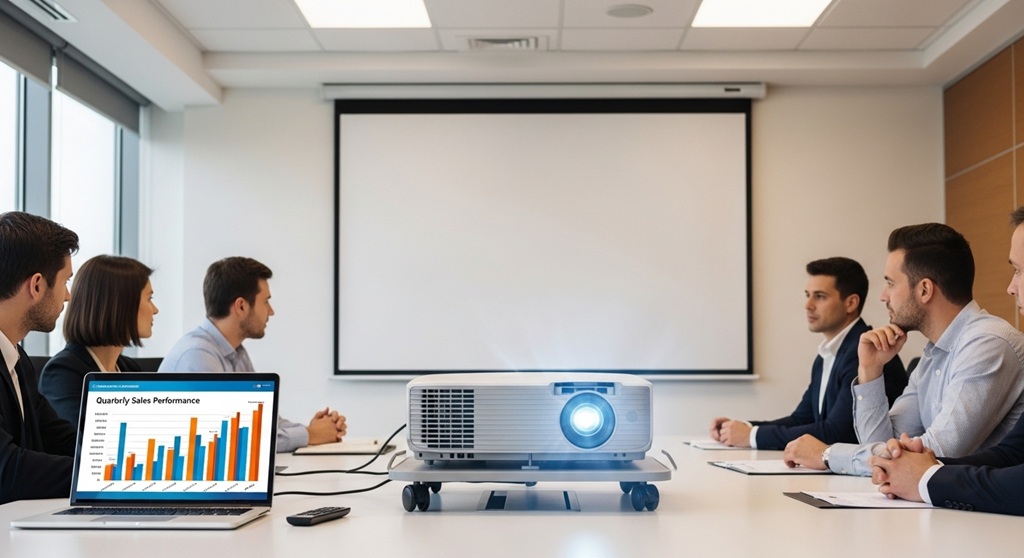
For example, in a typical 10–12 foot meeting room, a short-throw meeting room projector can produce a large image without needing ceiling mounts far from the screen.
What Connectivity Features Should an Office Projector Have?
Short Answer: Modern conference room projectors should support HDMI, wireless screen sharing, USB, and network connectivity.
Meetings today involve laptops, tablets, and mobile devices. Your projector must support easy device switching.
Important connectivity features include:
- HDMI ports for laptops and computers
- Wireless casting (AirPlay, Miracast, Chromecast)
- USB connectivity for quick presentations
- LAN network connection for centralized control
Wireless projection is particularly useful in collaborative meeting environments. Instead of plugging cables repeatedly, participants can share screens instantly.
According to a 2023 workplace technology report by Owl Labs, companies that adopted wireless presentation systems saw 27% faster meeting setup times.
Should You Choose a Laser or Lamp Projector for Office Use?
Short Answer: Laser projectors last longer and require less maintenance, while lamp projectors have lower upfront cost.
Projector light sources affect lifespan and maintenance.
| Type | Average Lifespan | Best Use Case |
|---|---|---|
| Lamp projector | 3,000–5,000 hours | Budget-friendly offices |
| Laser projector | 20,000+ hours | High-use conference rooms |
While laser projectors cost more initially, they often reduce long-term maintenance costs because there are no lamps to replace.
For organizations that host frequent presentations or training sessions, laser-based conference room projectors are often the better investment.
What Screen Size Works Best for Meeting Room Projectors?
Short Answer: Most conference rooms work best with screen sizes between 100 and 150 inches.
Screen size should match room dimensions and seating distance. If the screen is too small, participants at the back may struggle to read content.
A common rule used by AV professionals:
- Every 1 foot of screen height = comfortable viewing distance of 6 feet
Example: A 120-inch projection screen works well in conference rooms where participants sit 10–18 feet away.
Choosing the correct screen size improves visibility and ensures presentations remain readable across the room.
What Features Improve Meeting Collaboration?
Short Answer: Interactive capabilities, wireless sharing, and built-in collaboration tools improve meeting engagement.
Modern meeting rooms increasingly support hybrid work environments. Projectors that integrate with collaboration platforms offer additional benefits.
Helpful features include:
- Wireless multi-device sharing
- Split-screen presentations
- Interactive whiteboard support
- Video conferencing integration
Organizations that upgraded their meeting room technology reported measurable improvements. A Steelcase workplace study found that collaboration-friendly meeting spaces increased team productivity by 17%.
How Much Should You Budget for a Good Conference Room Projector?
Short Answer: Most businesses spend between $700 and $3,000 depending on features and room size.
| Budget Range | Typical Features |
|---|---|
| $500–$800 | Basic resolution, smaller meeting rooms |
| $800–$1,500 | Full HD, higher brightness |
| $1,500–$3,000+ | Laser light source, wireless collaboration |
While cheaper options exist, investing in a reliable meeting room projector usually saves money long term by reducing maintenance and upgrade costs.
Conclusion: How Do You Choose the Best Meeting Room Projector?
Choosing the right conference room projector is not just about buying the most expensive model. It requires matching the projector’s features to your meeting space, lighting conditions, and presentation needs.
Start by evaluating the size of your conference room and the level of brightness required. Then consider resolution, throw distance, connectivity options, and long-term maintenance costs. A projector that supports wireless sharing and collaboration tools can significantly improve meeting efficiency.
Organizations that invest in the right presentation technology often see better communication, smoother meetings, and improved team engagement.
If your team relies on presentations, data dashboards, or training sessions, upgrading to a reliable meeting room projector can make a measurable difference.
Next Step: Review your current meeting room setup and identify any visibility or connectivity issues. Then choose a conference room projector that aligns with your space, workflow, and long-term collaboration goals.
Frequently Asked Questions (FAQs)
What is the best projector brightness for conference rooms?
Most conference rooms require projectors with brightness between 3,000 and 5,000 lumens. Rooms with large windows or bright lighting may require even higher brightness.
Is a laser projector better for office meetings?
Laser projectors are often better for office environments because they last longer and require less maintenance. Many laser models operate for over 20,000 hours without lamp replacement.
Can a meeting room projector connect wirelessly?
Yes. Many modern projectors support wireless screen sharing through technologies such as Miracast, AirPlay, or built-in wireless presentation systems.
What resolution is recommended for business presentations?
Full HD (1920×1080) is the recommended resolution for most office presentations. It ensures text, charts, and graphics appear sharp and readable.
How large should a conference room projection screen be?
Most conference rooms benefit from screens between 100 and 150 inches. Larger rooms may require screens up to 200 inches for better visibility.
Are short-throw projectors good for meeting rooms?
Yes. Short-throw projectors work well in smaller meeting rooms because they produce large images from shorter distances and reduce presenter shadows.
How long does a conference room projector typically last?
Lamp projectors typically last 3,000–5,000 hours, while laser projectors can last over 20,000 hours with minimal maintenance.
Read More Also: How to ChooseSoft Hotel Style Pillows for Luxury Sleep at Home
Find out: How to Choose a Breathable Pillow for Kids Who Sweat at Night


Leave a Reply